



If you sell a growing stack of subscriptions and usage-based services, reconciliation stops being “finance admin.” It becomes a margin-protection system.
Every month, MSPs deal with three moving targets at the same time:
Vendor invoices (Microsoft 365, Pax8, security tools), client usage that changes mid-cycle, and PSA contracts that must match what the client actually consumed. When those three do not line up, you get write-offs, delayed invoicing, and revenue leakage prevention becomes a fire drill.
This is why MSP billing reconciliation software exists. It automates the matching of vendor invoices with client usage and your PSA agreements, then flags exceptions before invoices go out. It also helps tighten collections when combined with payment workflows.
Here is the bigger risk most MSPs miss: recurring billing is fragile. Subscription providers lose, on average, 9% of annual revenue to failed payments (source: PYMNTS). Even if your delivery is perfect, sloppy billing and collections can quietly erase the profit you worked hard to earn.
Key Takeaways
- Billing reconciliation automation protects margin by matching vendor charges, usage, and PSA contracts before invoices go out.
- The best tools focus on exceptions, not reports, so your team only touches what is “off.”
- Usage-based billing reconciliation needs proration support and clean audit trails for contract and agreement updates.
- PSA billing reconciliation works best when vendor usage, PSA agreements, and accounting are connected in one flow.
- A checklist-driven rollout prevents tool sprawl and reduces internal resistance.
- Cloud marketplaces add complexity, but they also create a chance to package, bill, and reconcile faster with the right platform.
What Is MSP Billing Reconciliation Software?
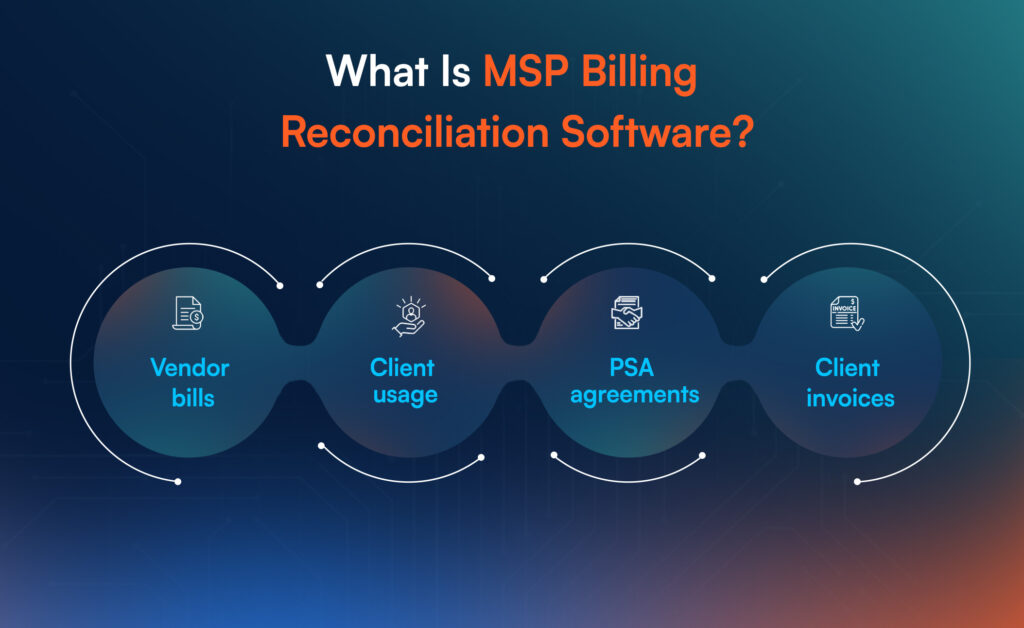
MSP billing reconciliation software is a system that compares and syncs three sources of truth:
Vendor bills → Client usage → PSA agreements → Client invoices.
Instead of manually checking spreadsheets, it automatically pulls usage, maps it to customers and SKUs, updates contract quantities, and flags mismatches. Many tools also support payment reconciliation by connecting invoice status with collection activity.
Think of it as the “last-mile control layer” between delivery and revenue.
Why Billing Reconciliation Automation Matters More Than Ever?
A modern MSP rarely sells one fixed monthly plan. You sell bundles, add-ons, licenses, consumption, and sometimes marketplace-based subscriptions. That creates billing complexity even when your service desk runs smoothly.
What makes this harder now:
- Usage changes are constant. Seats get added and removed weekly. Security SKUs change. Clients pause and restart tools. That creates proration and mid-cycle changes that your PSA must reflect.
- Vendor invoices do not match your client structure. Vendor bills often come aggregated or grouped differently than your client agreements. Mapping is where mistakes happen.
- Manual reconciliation steals time from high-value work. Accounts receivable teams spend 31.24% of their workday managing invoice disputes on average (Versapay). MSPs feel this as “billing week chaos.”
- Collections is not automatic by default. Even strong MSPs lose money when payment follow-up is inconsistent. One Recurly survey found 61% (source: ardem.com) of subscription businesses say involuntary churn is a top revenue challenge tied to payment failures. The MSP version of this is slower cash flow and longer DSO.
The goal is not perfection. The goal is a repeatable system where errors get caught early and fixed quickly.
How MSP Billing Reconciliation Works?
A good reconciliation flow is simple to explain, even if your stack is complex.
The Reconciliation Flow MSPs Should Aim For
| Step | What Happens | Output |
| 1. Collect Vendor Usage | Pull usage from vendors and distributors (ex: Microsoft 365, Pax8) | Usage snapshot by customer |
| 2. Map Usage To Customers | Match vendor tenant or subscription IDs to PSA accounts | Clean customer mapping |
| 3. Compare Against PSA Agreements | Check current quantities, SKUs, and pricing in your PSA | Mismatch list |
| 4. Apply Proration Rules | Account for mid-cycle adds, removes, and plan changes | Correct billable quantities |
| 5. Approve Contract Updates | Push updates into PSA agreements | Updated contract and agreement updates |
| 6. Generate Client Invoices | Invoice from PSA using corrected quantities | Accurate invoices |
| 7. Track Payment Status | Sync payments, failed payments, and partial payments | Payment reconciliation view |
| 8. Report Exceptions | Show what needs human review | Exception queue |
This is exactly what many vendor tools position around. For example, Gradient describes automated usage collection, highlighting changes, and updating PSA agreements to reduce monthly workload, including a claim of 90% (source: meetgradient.com) less time spent reconciling vendor usage (Gradient).
Who Uses Cloud Billing Reconciliation And Why?
Cloud billing reconciliation is not only for large MSPs. Any provider reselling recurring services can hit a reconciliation ceiling.
Here are the most common users and the “why” behind adoption.
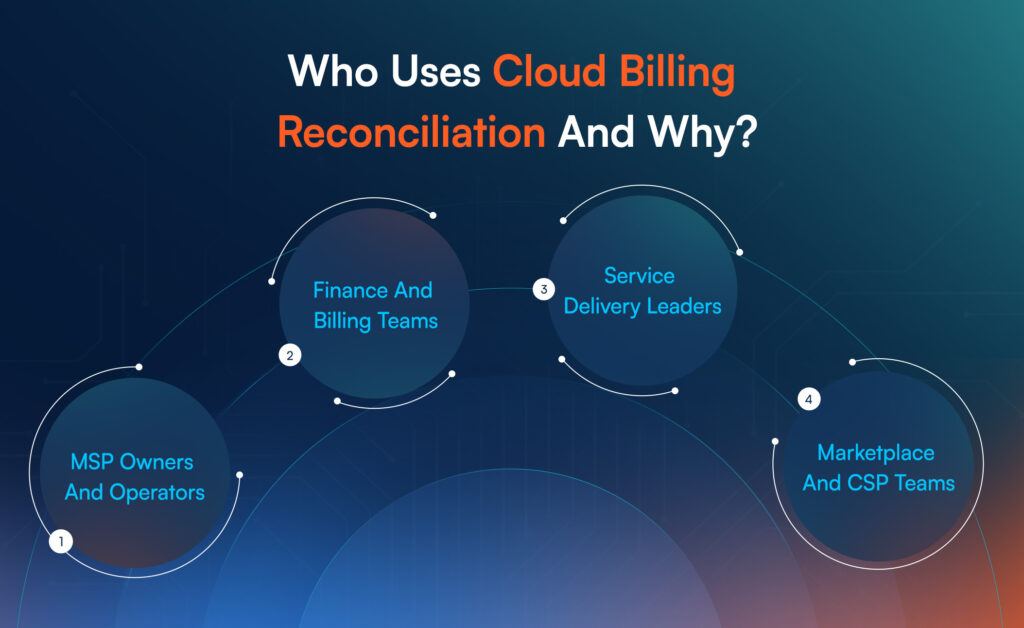
- MSP Owners And Operators
They adopt reconciliation software to stop silent margin loss, reduce billing week overtime, and avoid client trust hits caused by incorrect invoices.
- Finance And Billing Teams
They use it to reduce manual matching, speed up invoice creation, and improve audit readiness. It also helps with QuickBooks and Xero sync when you need accounting alignment.
- Service Delivery Leaders
They care because billing disputes often become service disputes. Better billing reduces client churn and internal stress.
- Marketplace And CSP Teams
If you sell Microsoft 365 license reconciliation or Pax8 billing reconciliation through a distributor, reconciliation becomes a core part of your operating model.
This is also where cloud marketplaces change the game. Marketplaces make it easier to package and sell, but they add more usage events that must be billed correctly.
Core Capabilities To Look For In MSP Payment Reconciliation Software
You do not need “more features.” You need fewer failures.
Below is a capability map that helps you evaluate tools without getting trapped in marketing language.
Capability Checklist That Actually Predicts Outcomes
| Capability | What It Solves | What To Ask During A Demo |
| Vendor Invoice Reconciliation | Matches vendor charges to what you bill clients | “How do you reconcile vendor invoice line items to client agreements?” |
| Usage-Based Billing Reconciliation | Handles seats, consumption, and mid-cycle changes | “Do you support proration and mid-cycle changes by default?” |
| PSA Billing Reconciliation | Keeps PSA agreements accurate without manual edits | “Can you push agreement updates into PSA automatically?” |
| Exception-First Workflow | Saves time by focusing humans on mismatches | “Show me your exception queue and approval flow.” |
| Customer And SKU Mapping | Prevents mapping errors across tenants, SKUs, and bundles | “How do you handle mapping when vendor naming differs from PSA naming?” |
| Payment Reconciliation | Tracks invoice paid, partial, failed, and disputed | “Do you connect invoice status to collections and payment workflows?” |
| Audit Trail And Approvals | Reduces disputes and supports compliance | “Can I see who approved what change, and when?” |
| Accounting Sync | Keeps finance books aligned | “Do you support QuickBooks and Xero sync or export-ready posting?” |
A practical sign you are looking at a serious product: it treats reconciliation like a workflow, not a report.
Implementation Checklist For MSPs
Most reconciliation projects fail because the tool gets installed before the process gets defined. A short rollout plan fixes that.
Start by defining the “billing truth chain” you want: Vendor usage → PSA agreement → Invoice → Payment status. Then roll out in small, controlled steps so you can measure impact and adjust.
MSP Billing Reconciliation Rollout Checklist
| Checklist Item | Owner | Output | Done |
| List Your Billable Vendors And SKUs | Finance + Ops | Vendor catalog and billing scope | ☐ |
| Define Customer Mapping Rules | Ops | Mapping logic for tenants to accounts | ☐ |
| Confirm PSA Fields And Agreement Structure | PSA Admin | Standard agreement template | ☐ |
| Set Proration Rules | Finance | Rules for mid-cycle adds and removes | ☐ |
| Choose Exception Thresholds | Finance | What requires approval vs auto-update | ☐ |
| Pilot With Top 10 Accounts | Billing | Baseline error rate and time saved | ☐ |
| Validate Invoice Accuracy With Clients | Billing + CS | Reduced disputes and clean approvals | ☐ |
| Add Payment Workflows | Finance | Dunning and collections automation | ☐ |
| Expand Vendor Coverage | Ops | More vendors added without chaos | ☐ |
| Review Metrics Monthly | Leadership | Time-to-invoice, leakage, disputes | ☐ |
If you want an early win, start with your highest-volume vendor first. This is where errors compound fastest.
Common Mistakes MSPs Make With Payment Reconciliation
Most billing mistakes are not caused by bad intent. They are caused by “reasonable shortcuts” that break at scale.
Mistake 1: Treating Reconciliation As A Monthly Task
Reconciliation becomes a once-a-month scramble, so issues stay hidden until invoices go out. A better approach is a weekly exception review that keeps your PSA clean.
Mistake 2: Relying On Spreadsheets For Contract And Agreement Updates
Spreadsheets can track changes, but they cannot enforce them. Over time, PSA agreement drift becomes normal, and revenue leakage prevention becomes impossible.
Mistake 3: Ignoring Proration And Mid-Cycle Changes
When usage changes mid-cycle, manual proration is where margins disappear. Good systems apply rules consistently and show audit trails.
Mistake 4: Splitting Billing And Collections Into Two Separate Worlds
Even if invoices are correct, cash flow suffers when there is no consistent follow-up. Payment status should feed your dunning and collections automation, not sit in a separate tool.
Mistake 5: Skipping Mapping Governance
Mapping errors are silent until clients complain. A tool must support clear customer mapping, SKU mapping, and “unknown usage” handling.
A useful benchmark: OpenEnvoy reports 4% (Paysafe) of invoices contain errors, which can trigger disputes and delayed payments. In MSP billing, even small error rates create repeated client friction.
How To Evaluate MSP Billing Reconciliation Tools Without Guesswork?
Before you choose a platform, score it on outcomes.
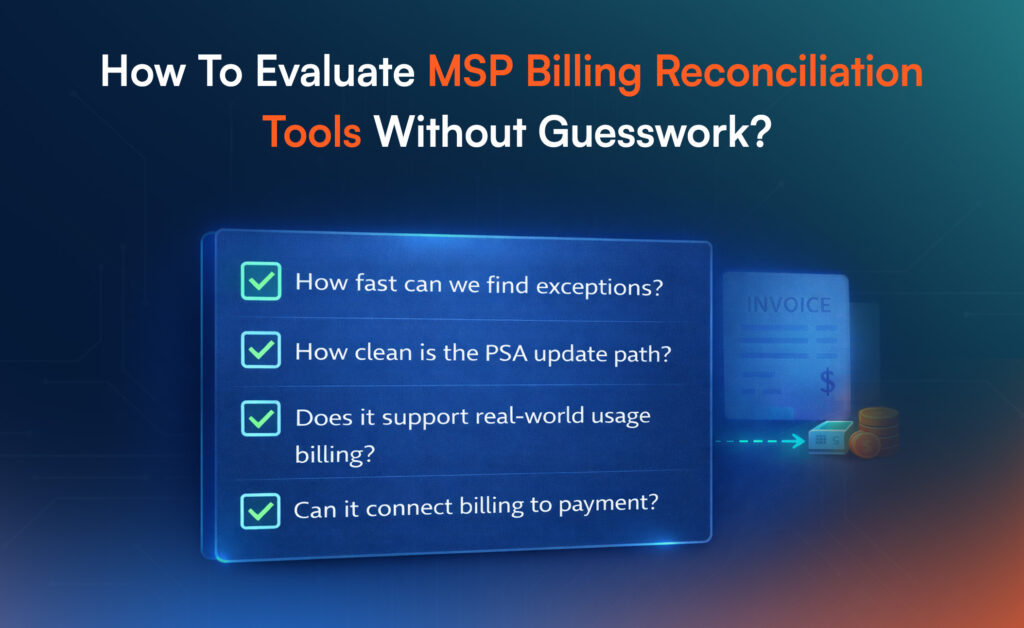
The Four Questions That Matter Most
- How fast can we find exceptions?
You want an exception queue, not a 20-tab report. - How clean is the PSA update path?
The tool must support PSA billing reconciliation, including agreement updates, not only exports. - Does it support real-world usage billing?
Ask directly about usage-based billing reconciliation, proration, and bundles. - Can it connect billing to payment?
If the system cannot support payment reconciliation signals (paid, partial, failed, disputed), you will still run collections manually.
If your demo does not show these in the first 10 minutes, you are watching the wrong demo.
Popular MSP Billing Reconciliation Software Options
There is no single “best” option for every MSP. Tool fit depends on whether your biggest pain is usage reconciliation, PSA agreement updates, or collections.
Here is a practical short list to consider.
- AppGallop
Best when you want reconciliation tied to cloud marketplace operations, subscription lifecycle management, and scalable billing workflows for resale and marketplace catalogs. - Gradient (Synthesize Billing)
Positioned around automated usage collection, change highlighting, and PSA agreement updates, with broad integrations and a heavy focus on reducing monthly reconciliation effort. - ConnectWise PSA Cloud Billing
ConnectWise positions its cloud billing capability around recurring billing needs, usage-based billing, and handling billing changes tied to subscriptions and vendor inputs.
You may also see tools like FlexPoint, Cloud Depot, or Rewst mentioned in the market, especially when MSPs want stronger payments, portals, or workflow automation. Use the evaluation framework above to compare them fairly.
AppGallop For MSP Billing Reconciliation And Cloud Marketplace Billing
Most MSP billing tools solve reconciliation inside one lane, usually PSA or payments.
AppGallop is built for the messier reality: MSPs sell through multiple channels, bundle multiple vendors, and need billing to stay accurate across provisioning, subscription changes, invoicing, and collections.
That is why AppGallop sits at the point where brokerage meets cloud marketplace operations.
What AppGallop Helps You Do
- Unify The Subscription Source Of Truth
AppGallop centralizes subscription lifecycle events (new, upgrade, downgrade, suspend) so contract and agreement updates do not depend on someone remembering to edit a PSA line item. - Normalize Vendor Usage Into Billable Units
Instead of forcing vendor naming to match your PSA naming, AppGallop helps you standardize usage events into a consistent catalog that can support vendor invoice reconciliation across multiple vendors. - Support Proration And Mid-Cycle Changes Without Manual Math
When plans change mid-cycle, AppGallop tracks the event and applies rules so invoices stay consistent, even with usage-based billing reconciliation. - Connect Billing To Collections Signals
AppGallop can feed invoice status into collections workflows so dunning and collections automation become systematic rather than reactive.
Where This Matters Most For MSPs
If you sell Microsoft 365 license reconciliation or Pax8 billing reconciliation at scale, the real bottleneck is not invoicing. It is contract accuracy across hundreds of customers with constant usage changes.
AppGallop helps remove that bottleneck by treating reconciliation as an operating workflow, not a monthly accounting task.
Conclusion
MSP billing reconciliation software is not a “finance upgrade.” It is an operating system decision that affects margin, client trust, and cash flow. If your billing week feels heavy, it is usually because usage, PSA agreements, and invoices are not connected tightly enough.
Fix the workflow, choose a tool that prioritizes exceptions, and roll it out with a checklist-driven pilot. Once reconciliation becomes routine, you will feel the difference in fewer disputes, faster invoicing, and more predictable collections.
Frequently Asked Questions
Billing reconciliation matches vendor charges and usage to what you invoice. Payment reconciliation confirms what got paid, partially paid, failed, or disputed, so finance can track cash flow accurately.
Most reconciliation tools integrate with common PSAs, but you should confirm two things: whether it updates PSA agreements automatically and whether it supports exception approvals before changes go live.
Reconciliation catches missing seats, incorrect SKUs, and unbilled usage before invoices go out, so you stop underbilling and reduce write-offs tied to late corrections.
Good tools handle mid-cycle adds and removes by tracking usage events and applying proration rules, then pushing the correct quantities into your PSA agreements.
Start by standardizing customer mapping and agreement structure in your PSA, then pilot one high-volume vendor. Once exceptions and approvals are stable, expand vendor coverage and connect payments.